
Projects
Who pays for your subcontractor?
Last updated October 14, 2026 · 2 min read

Arjen Mekelenkamp · Founder WorkAdministration · 10+ years of EU posting compliance
Content checked on October 14, 2026
A subcontractor you invite pays for itself, or you pay for it. This is how you choose and how you see who has paid.
What is the difference?
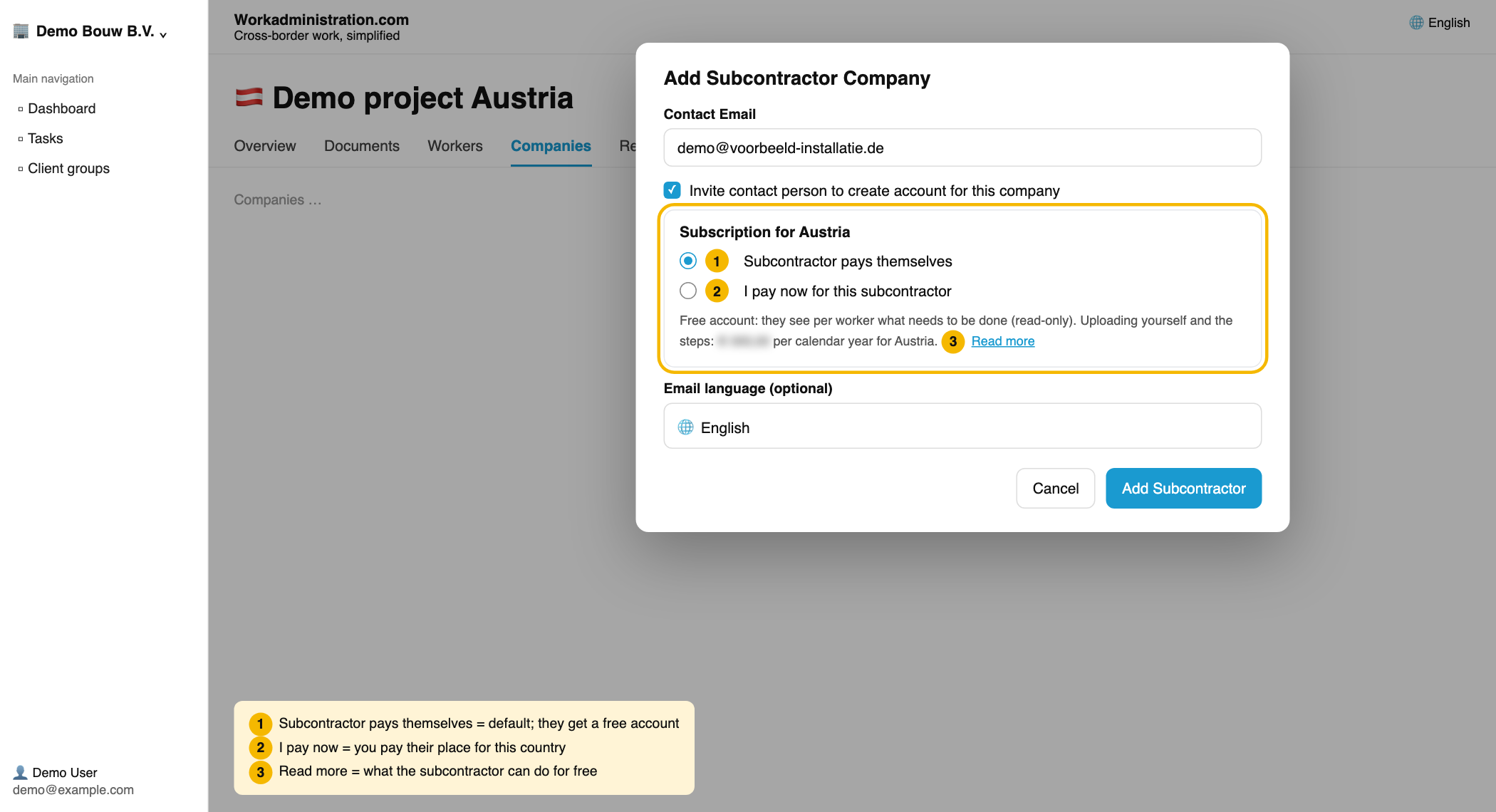
- The subcontractor pays itself (default). You pay nothing. Without a subscription it sees the tasks and deadlines and sends its documents to you. You add them to the project. If it takes its own subscription, it submits them itself.
- You pay. It submits right away, with the steps per task. You pay its place for that country per calendar year and get the invoice.
Step 1: Choose when you invite
- Open your project and click the Companies tab.
- Click Add Company and fill in the details.
- Under Subscription for … choose Subcontractor pays themselves or I pay now for this subcontractor.
If you choose to pay, the invitation goes to the subcontractor only after your payment.
Step 2: Pay later after all
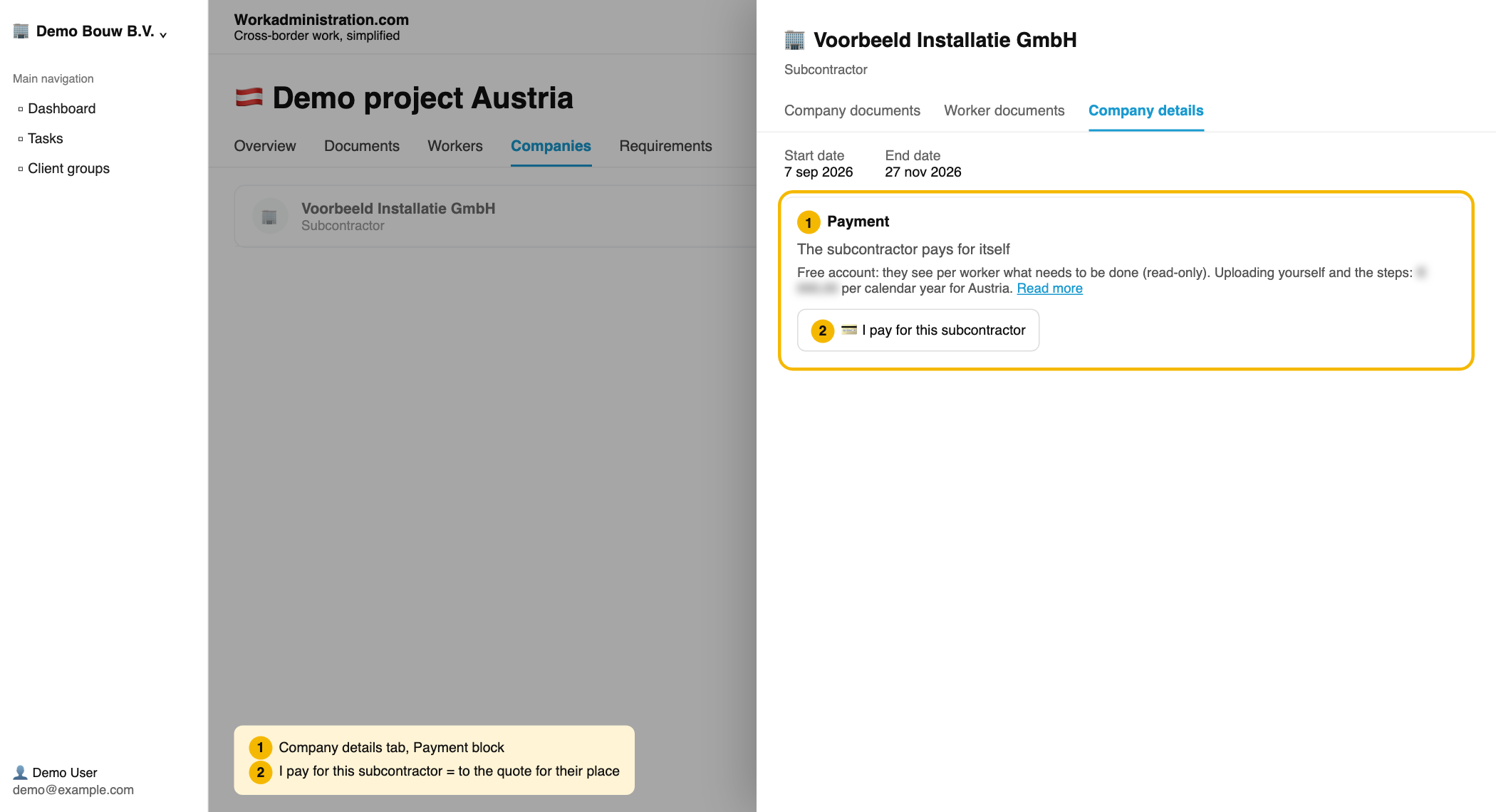
- In the Companies tab, click the subcontractor's name.
- Choose the Company details tab.
- Under Payment, click I pay for this subcontractor.
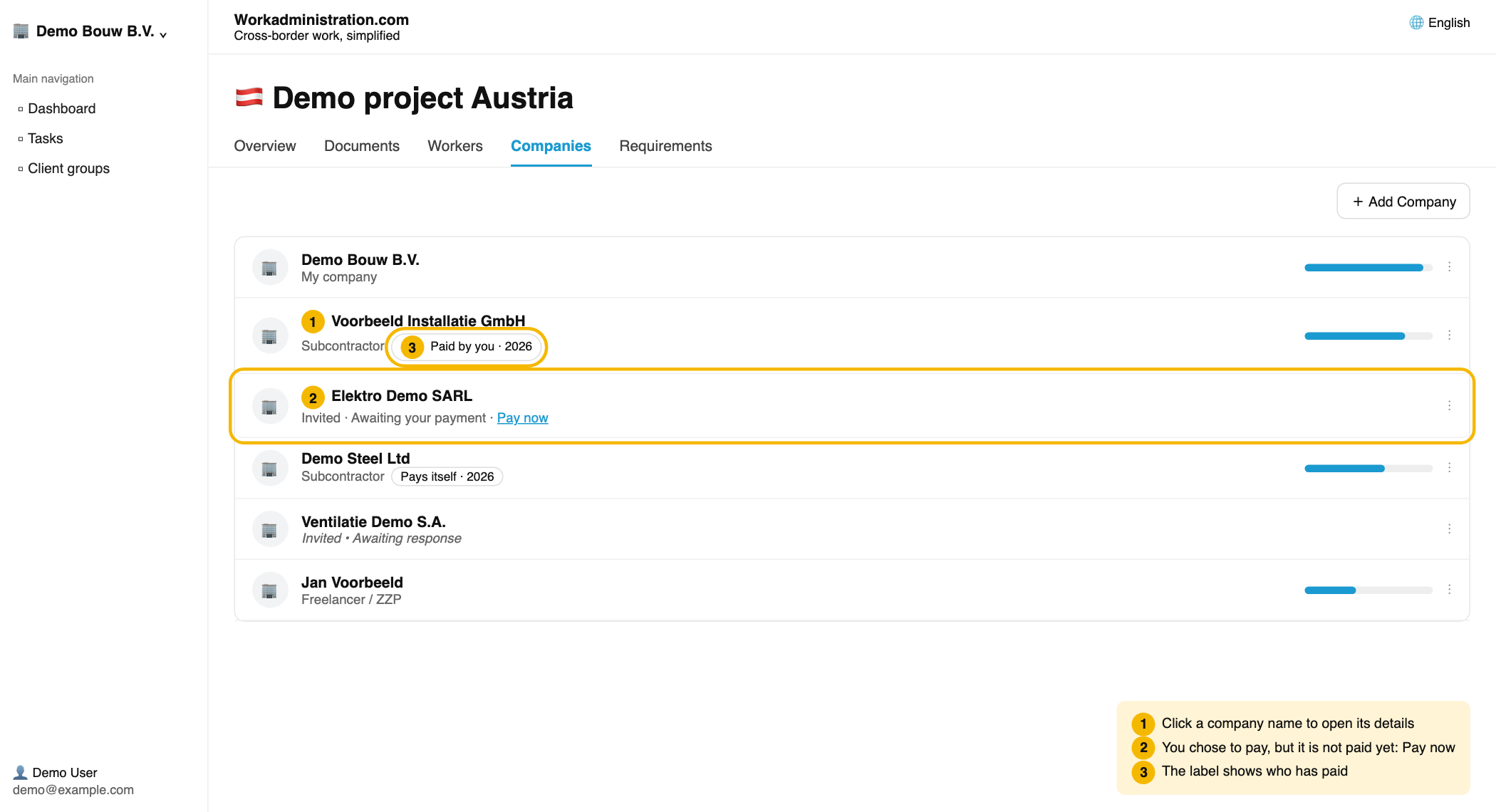
Does a company show Invited · Awaiting your payment? Then click Pay now.
Step 3: Pay for the place
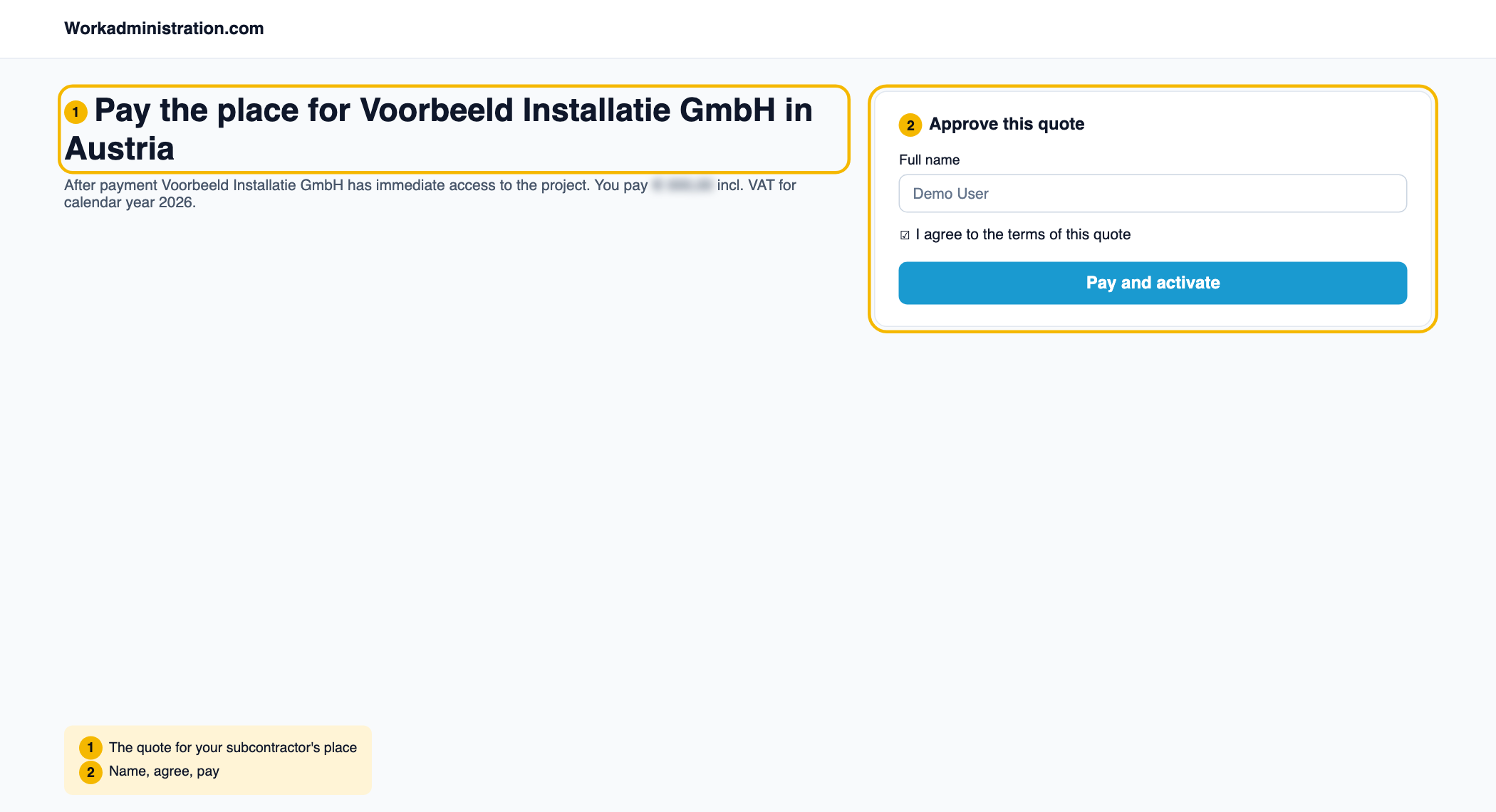
- Enter your name and tick I agree to the terms of this quote.
- Click Pay and activate.
After payment the subcontractor has access to the project right away. If your subscription still has a free place, that place is used and you do not pay.
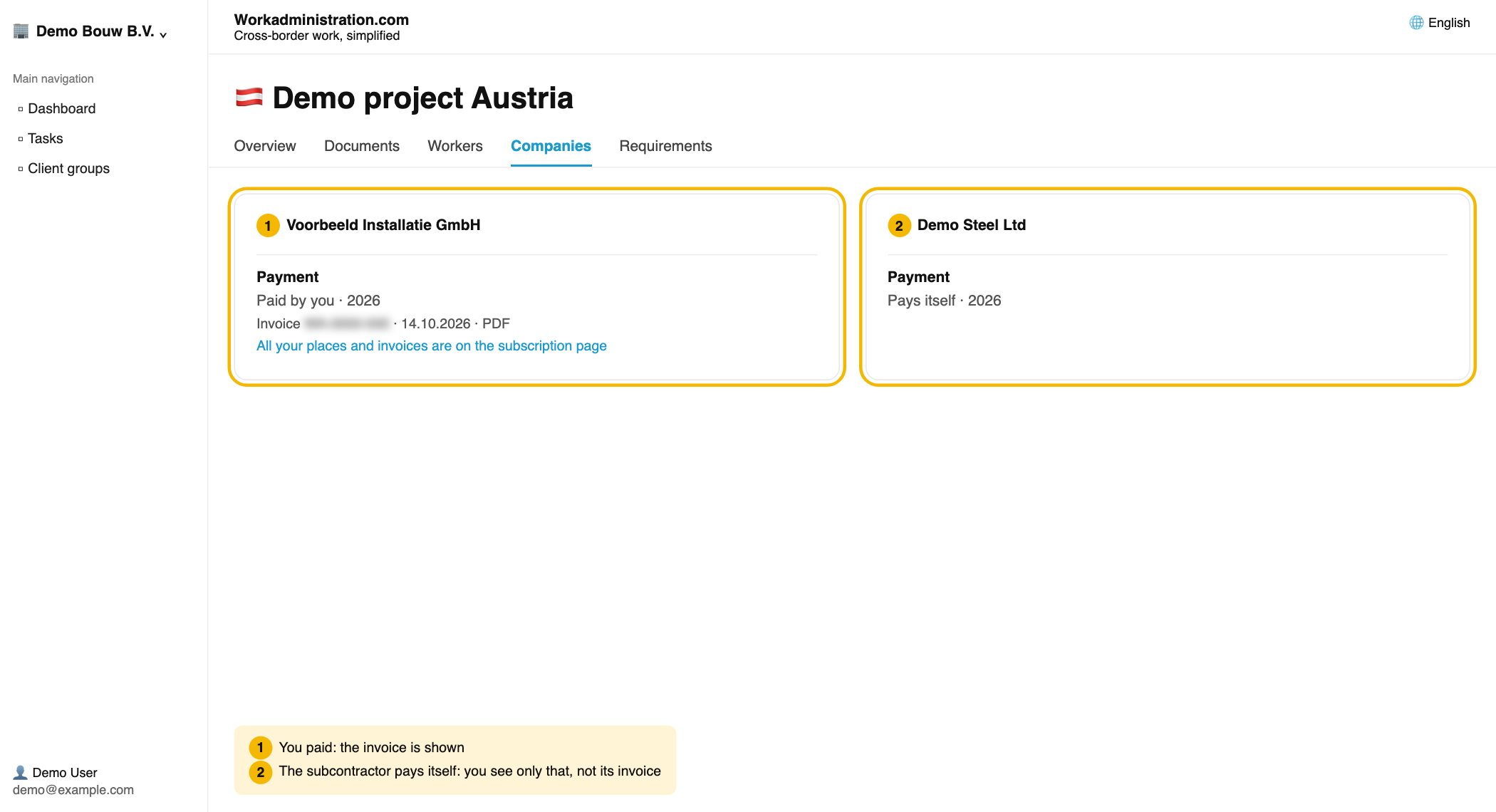
Who has paid?
- Paid by you · 2026: you paid. The invoice is shown. All your places and invoices are on the subscription page.
- Pays itself · 2026: the subcontractor has its own subscription. You do not see its invoice.
Project in Germany for a Dutch company? That runs on werkduitsland.nl, with the same screens.
Read more
👍 100% found this helpful
Was this article helpful?