
Subcontractor invited at the wrong email address
Last updated November 4, 2026 · 3 min read

Arjen Mekelenkamp · Founder WorkAdministration · 10+ years of EU posting compliance
Content checked on November 4, 2026
You do not need to invite again. Is a subcontractor listed with the wrong email address? Click Send to another address and enter the right one. The recipient gets the invitation and only has to choose a password.
| Situation | What you do (main contractor) | What the subcontractor does |
|---|---|---|
| There is a wrong address and you see the button Send to another address | Click that button and enter the right address | They open the email, their address is already filled in, and they choose a password |
| There is no address yet | Enter the address and send the invitation | They receive the invitation |
| You do not see the button Send to another address | Read the heading "No button?" below | - |
Wrong email address? Send the invitation to the right address
What you do (main contractor)
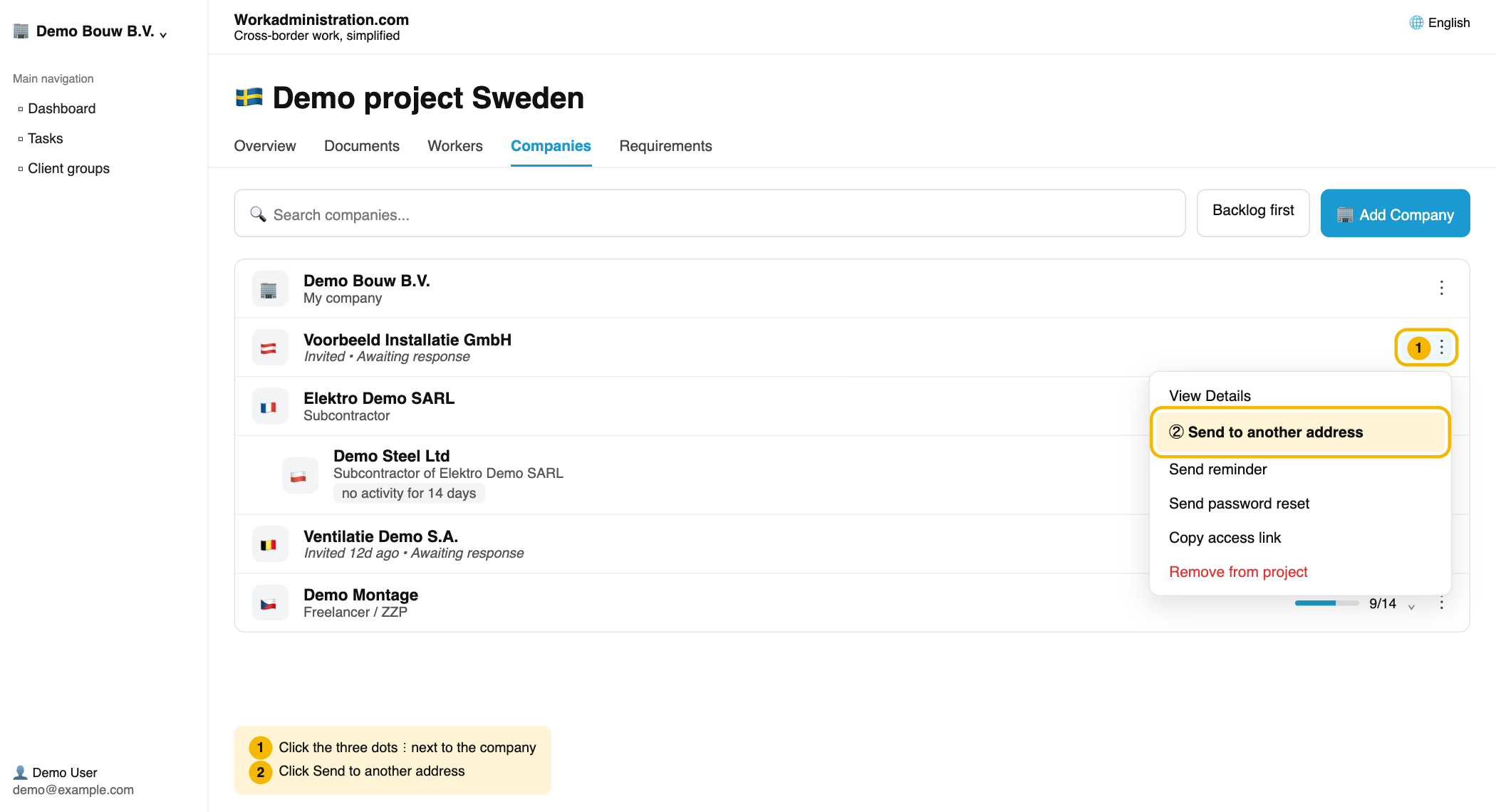
- Open your project and click the Companies tab.
- Find the company in the list. Click the three dots (⋮) on the right of that row and choose Send to another address.
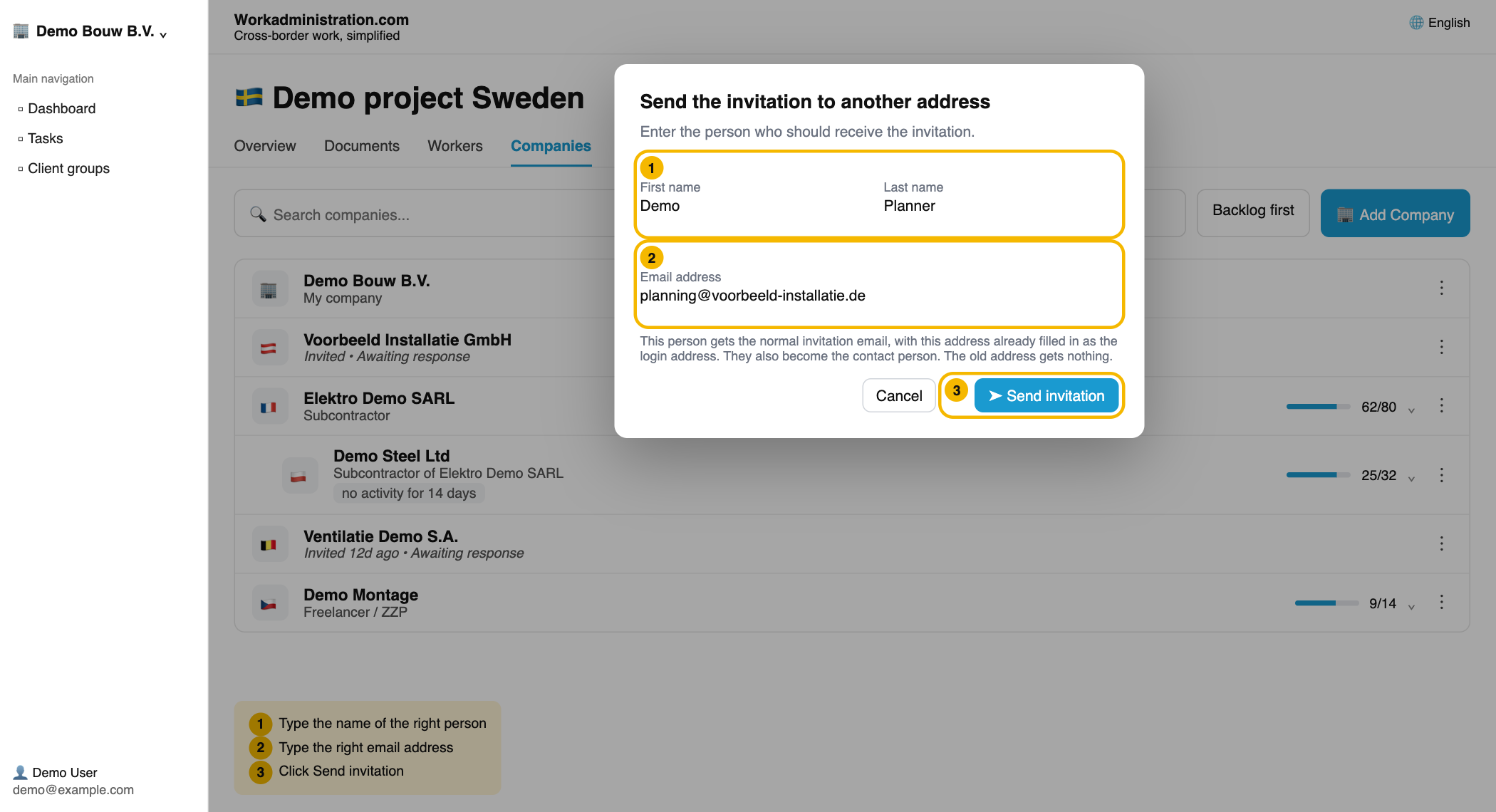
- Type the email address of the right person. If you know their name, also fill in the first and last name.
- Click Send invitation.
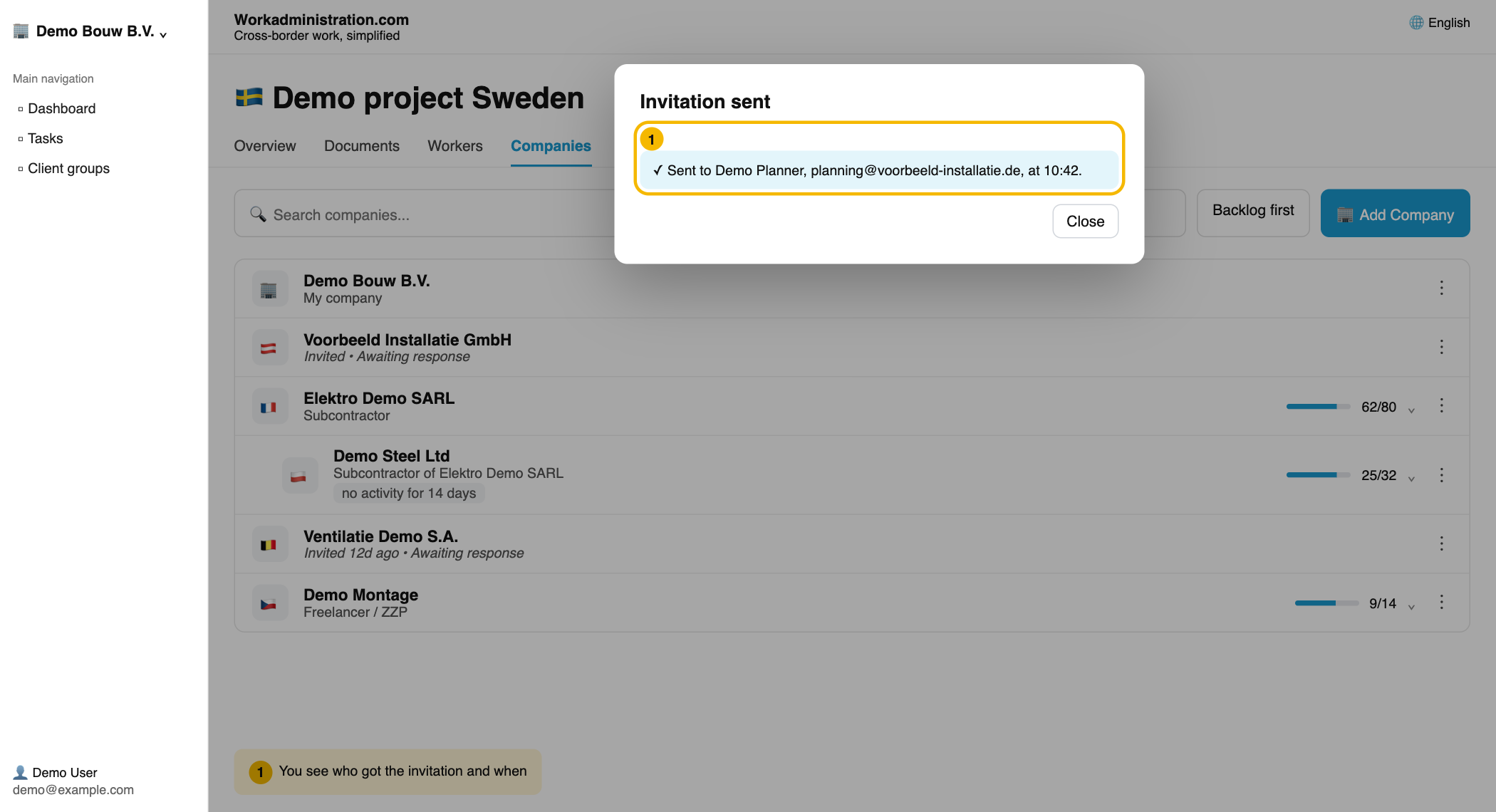
You then see who got the invitation and when. From then on the new person is the contact person for the company, and reminders go to this address too.
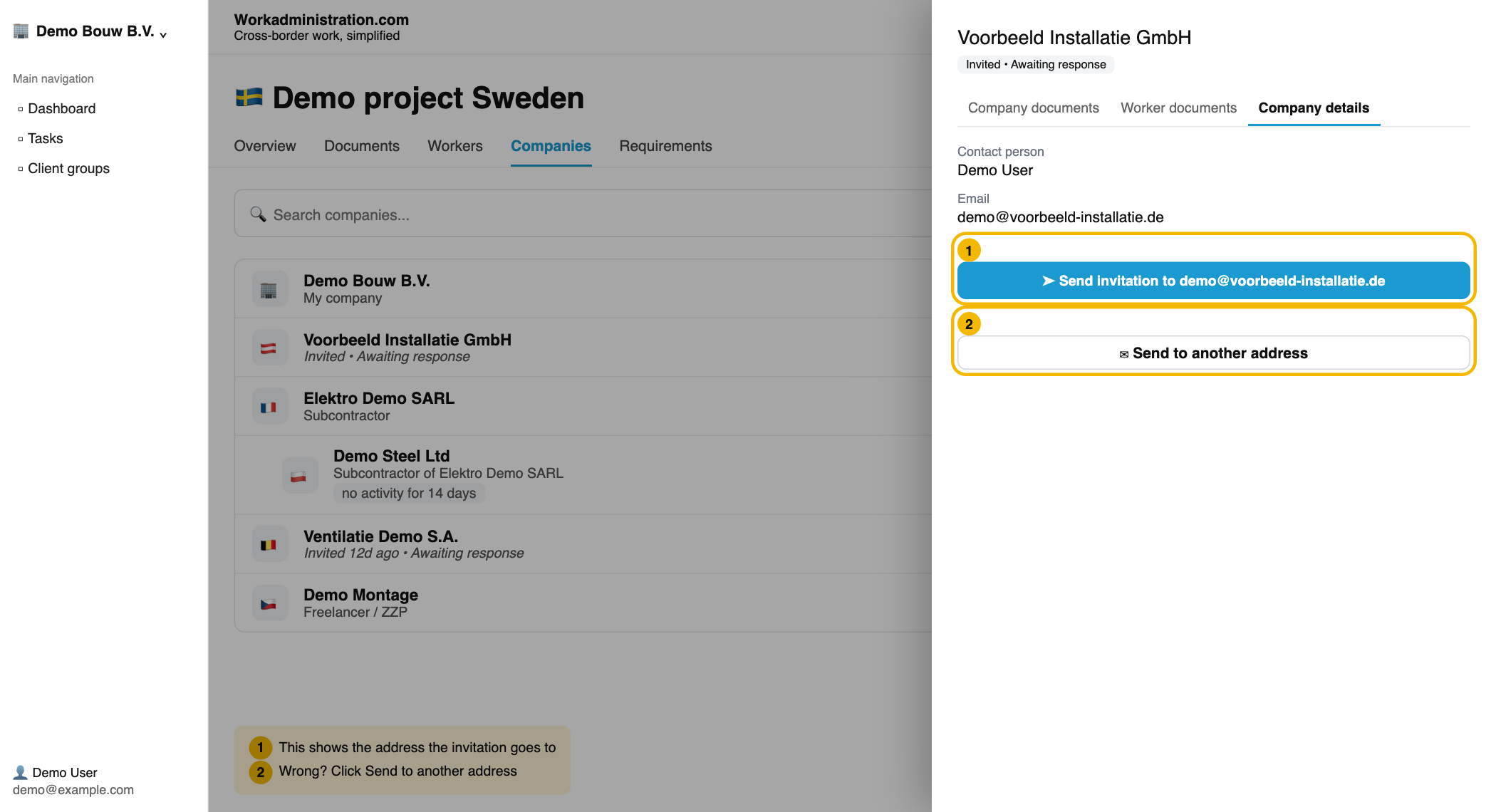
You also find the same button when you click the company name and open the Company details tab. The blue button there shows the address the invitation goes to. If that is wrong, click Send to another address below it.
What the subcontractor does
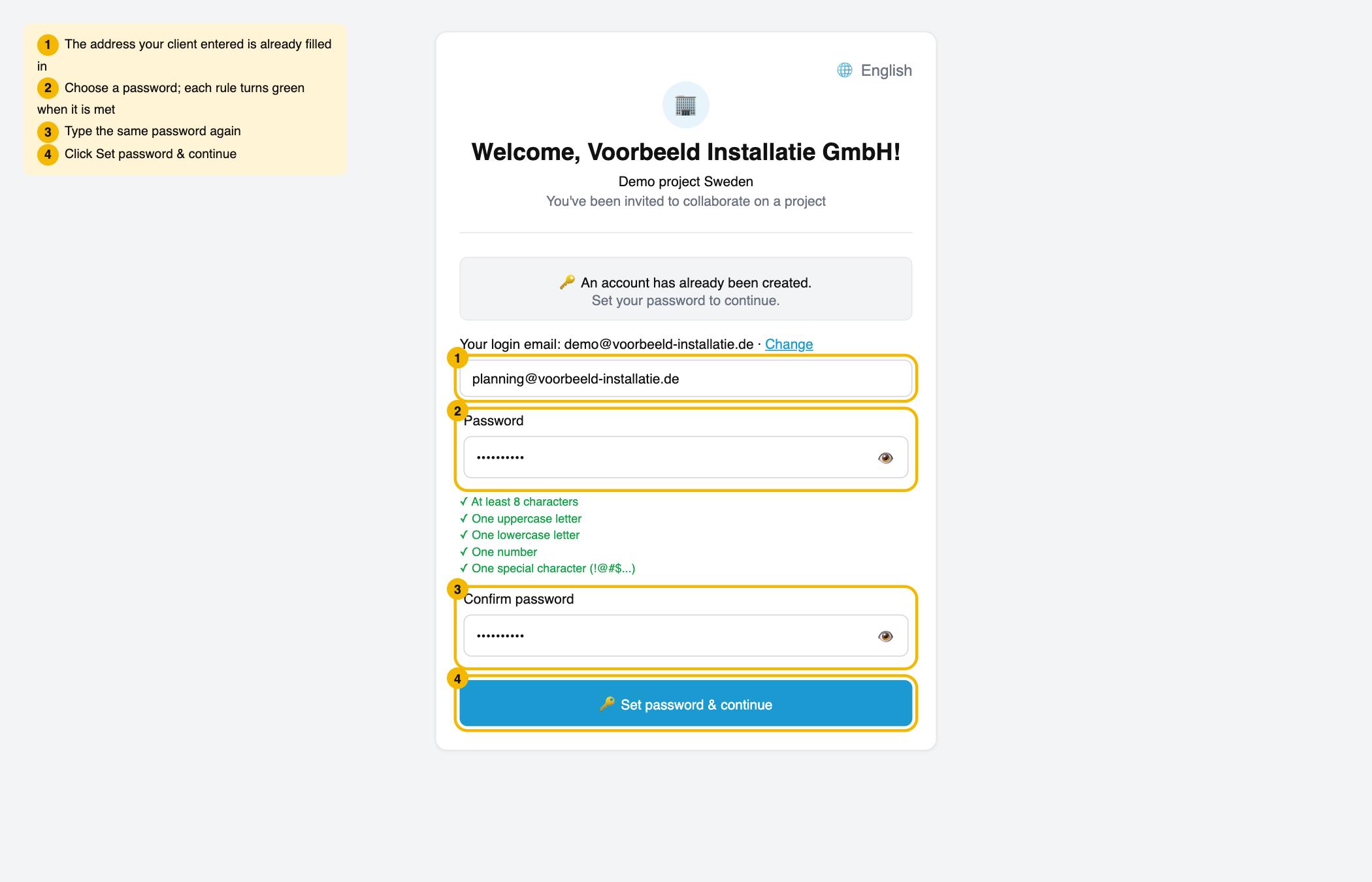
They get the normal invitation email and click the Get started now button in it. On the page that opens, their address is already filled in as login address. They only choose a password.
No button, or do you see a message?
Then the address can no longer be changed by you. For example because the company has already signed in, has already accepted the invitation, or was also invited by another company. A message tells you which reason applies. Please contact the helpdesk and we will help you.
Did you choose to pay for this company yourself when you invited it? Then the button only appears once that payment is complete.
No email address yet? Enter it yourself
Does a company have no email address yet, and has it not been invited? Then you add the address yourself.
What you do (main contractor)
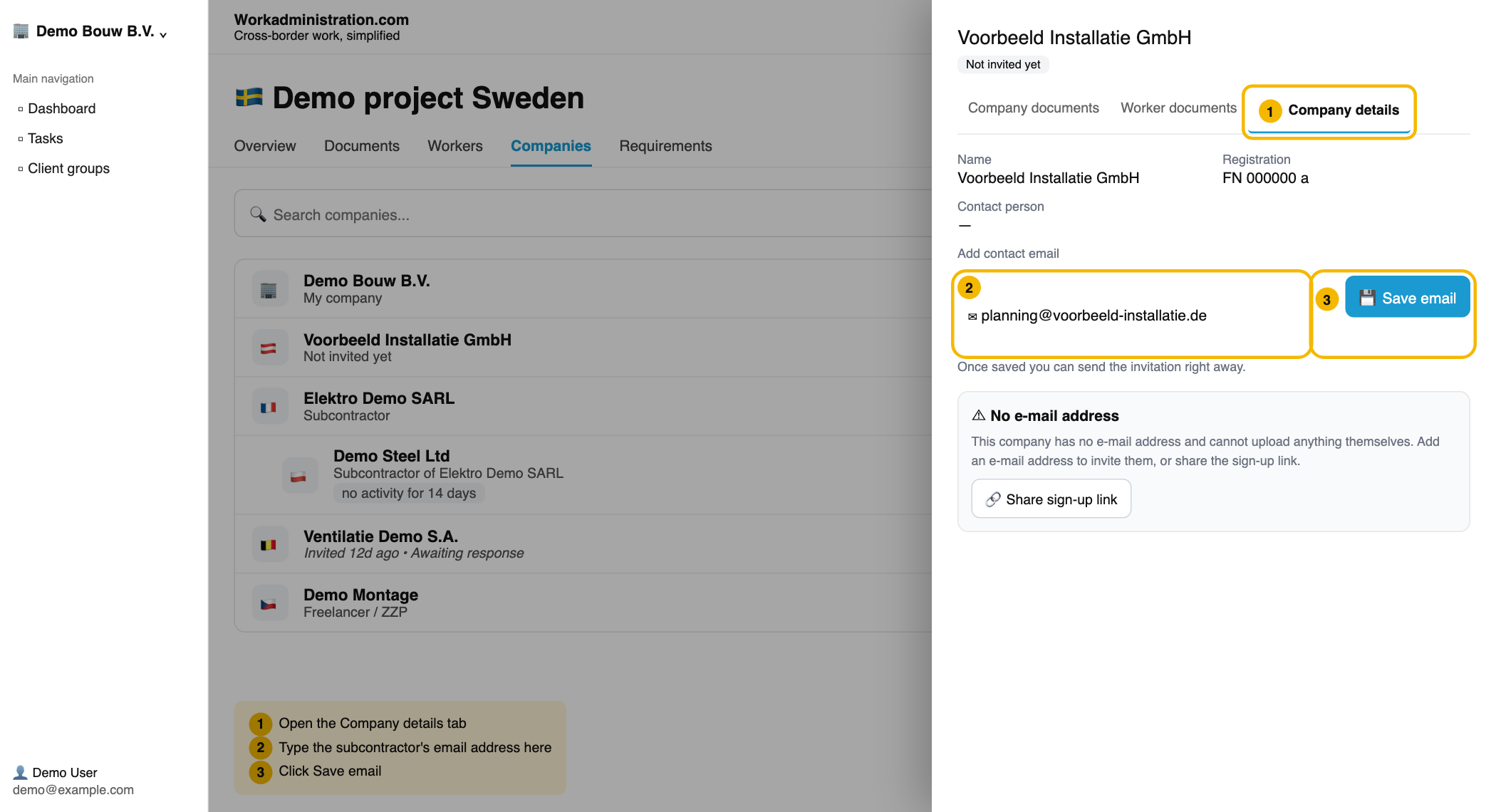
- Click the company name and open the tab Company details.
- Type the address under Add contact email and click Save email.
- In the window Save email for this company? click Save email.
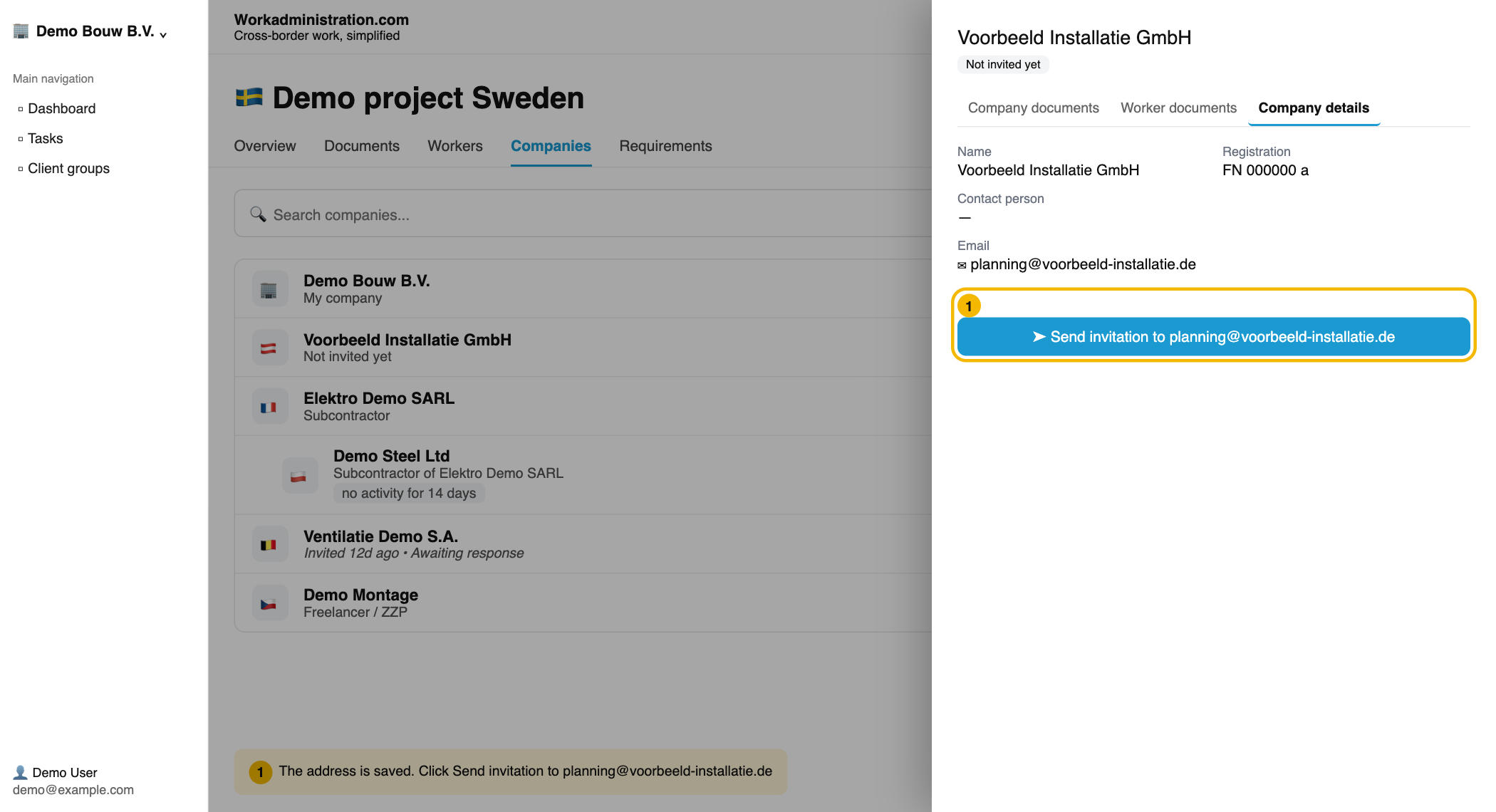
- Click Send invitation to …. The button shows the address you just entered.
What the subcontractor does
They receive the invitation at the address you typed and click Get started now in the email.
Prefer to send it yourself via WhatsApp?
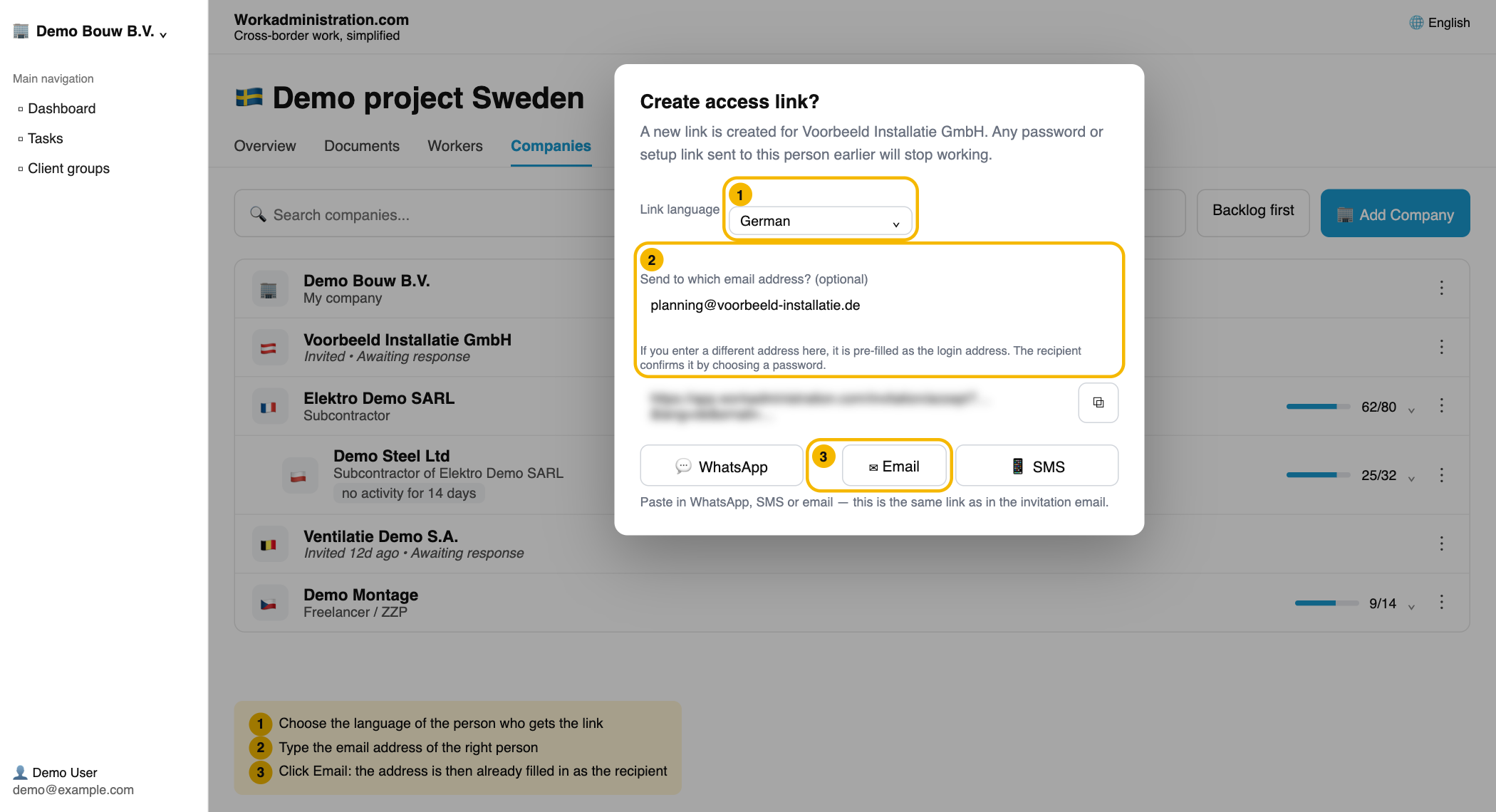
Click the three dots (⋮) on the right of the company row and choose Copy access link. Under Send to which email address? (optional), enter the right address and click WhatsApp. No email is sent by us in this case; you send the link yourself. The recipient sees their address already filled in as login address.
Read more
👍 100% found this helpful
Was this article helpful?